
Quitman County Traffic Court Records
Traffic cases in Quitman County belong to Probate Court, according to the official Probate/Magistrate page. Judge L. Matthew Self heads the office. Julia Floyd serves as Chief Clerk. The office runs the local traffic docket and takes questions at 229-334-2224. Mail goes to P.O. Box 7, Georgetown, Georgia 39854.
One nearby venue no longer exists. The consolidated-government charter abolished the City of Georgetown Municipal Court and moved its jurisdiction and pending matters to Probate or Magistrate Court. So a Georgetown citation search today goes through the county Probate traffic channel, not a city municipal portal.
A traffic court record may list the citation or charge, the plea, the setting, the disposition, payment or appearance details, and any court order. The online pay system is narrower. It promises neither a docket sheet nor document images.
Quitman County EZCourtPay Fields
The local Probate/Magistrate page ties its Pay Fines Online control to EZCourtPay. The form asks for a valid date of birth. It also needs either a citation number or a last name. No court dropdown is needed, since the link already points at Quitman County.
The official Quitman EZCourtPay form shows the search screen. It lists the required fields for a citation lookup.
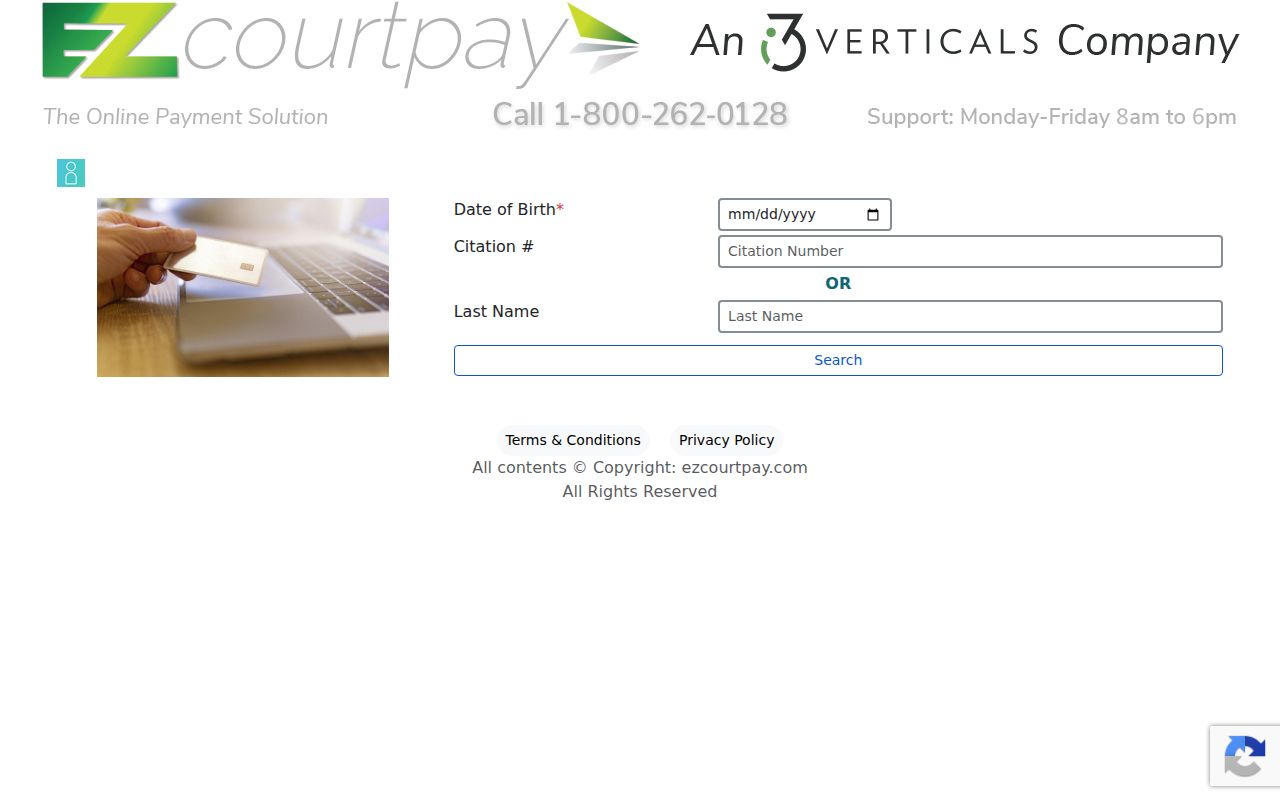
The screen is a citation search and payment gateway. It offers no case-number field, date range, disposition filter, export control, or document viewer, so it cannot serve as a full case lookup.
| Field or Control | Type | Required | Observed Rule |
|---|---|---|---|
| Date of Birth | Date input | Yes | Validation requires a valid date. |
| Citation # | Text, 50 characters max | One of two | May be used instead of Last Name. |
| Last Name | Text, 50 characters max | One of two | May be used instead of Citation #. |
| Search | Button | Yes | Submits the lookup. |
| Login | Separate control | No | Not needed for an ordinary public lookup. |
Looking Up a Traffic Ticket
Work from the citation itself when you have it. Read the issuing court and appearance information first. Enter your date of birth, then search by citation number or by last name. Keep private identifiers out of email and public notes, and if a record does not appear, do not assume the charge vanished.
- Identify Quitman County and the court information printed on the citation.
- Open the county-linked EZCourtPay form.
- Enter a valid date of birth.
- Enter the citation number exactly, or use the last name instead.
- Review the result for a court date and allowed response.
- Call 229-334-2224 or contact the counter if the record is missing or urgent.
The Georgia Courts traffic page reports no centralized citation database. It also warns that online availability can take 7 to 21 business days. For a missed date, a mandatory appearance, or an item that has not posted, the county court is still the source.
Quitman County Posting Delay
A fresh citation rarely appears online right away. Georgia Courts gives a general posting window of 7 to 21 business days. That range is not permission to skip the appearance date. Call the Probate/Magistrate office if the date is close. Do the same if the citation is lost or the search fails. Ask for the setting and the identifier. Also ask whether an appearance is mandatory, and how to respond.
Portal result missing: Contact the court before the citation date instead of waiting for EZCourtPay to update.
No local page publishes a refresh schedule, uptime policy, payment phone line, fine schedule, or routine extension process. For anything tied to a specific citation, staff instructions control.
How to Find Your Traffic Court Date
The citation itself is the first place to find the appearance date. EZCourtPay may help locate the matter. Its public form shows no sample result or full setting record. No Quitman-specific citation format has been published. So keep the identifier exactly as printed, such as local citation number as printed. Do not force it into an invented pattern. The paper in hand beats a guess.
| Citation identifier | Enter the printed number exactly; no local pattern is published. |
|---|---|
| Issuing court | Quitman traffic matters are routed through the Probate Court function. |
| Appearance date | Use the citation and confirm any change with the court. |
| Time and location | Follow the citation or direct court instruction. |
| Response status | Ask whether payment, appearance, or another step is allowed. |
The Pataula circuit month calendar is a general Superior Court schedule, not a stand-in for the citation or Probate traffic confirmation. For a close deadline, use the traffic office phone.
Quitman County Traffic Portal Limits
EZCourtPay can find a citation. It can offer payment choices, but it is not a document-image service. There is no public docket timeline, PDF viewer, court selector, case-type filter, or archive search. Anyone who needs the plea, disposition, signed order, or certified outcome should request the court file from the Probate/Magistrate office.
The split matters most for old or missing matters. A portal result is just a current payment-channel view. It may not show the complete procedural history. When the online path has no answer, ask whether the record sits on paper, in another court system, or under a restriction.
Note: Never send a date of birth in an unsecured public message, and never publish the private values used to search the form.
Pay or Contest a Ticket
Georgia's official guidance treats paying and contesting as different choices. Paying generally accepts the penalty. It also enters a guilty plea. Contesting generally means appearing on the scheduled date. It also generally means pleading not guilty, unless the court allows another method. Charges with a mandatory appearance must be handled as the court directs.
The official Georgia.gov traffic payment page walks through the payment option and its conditions.
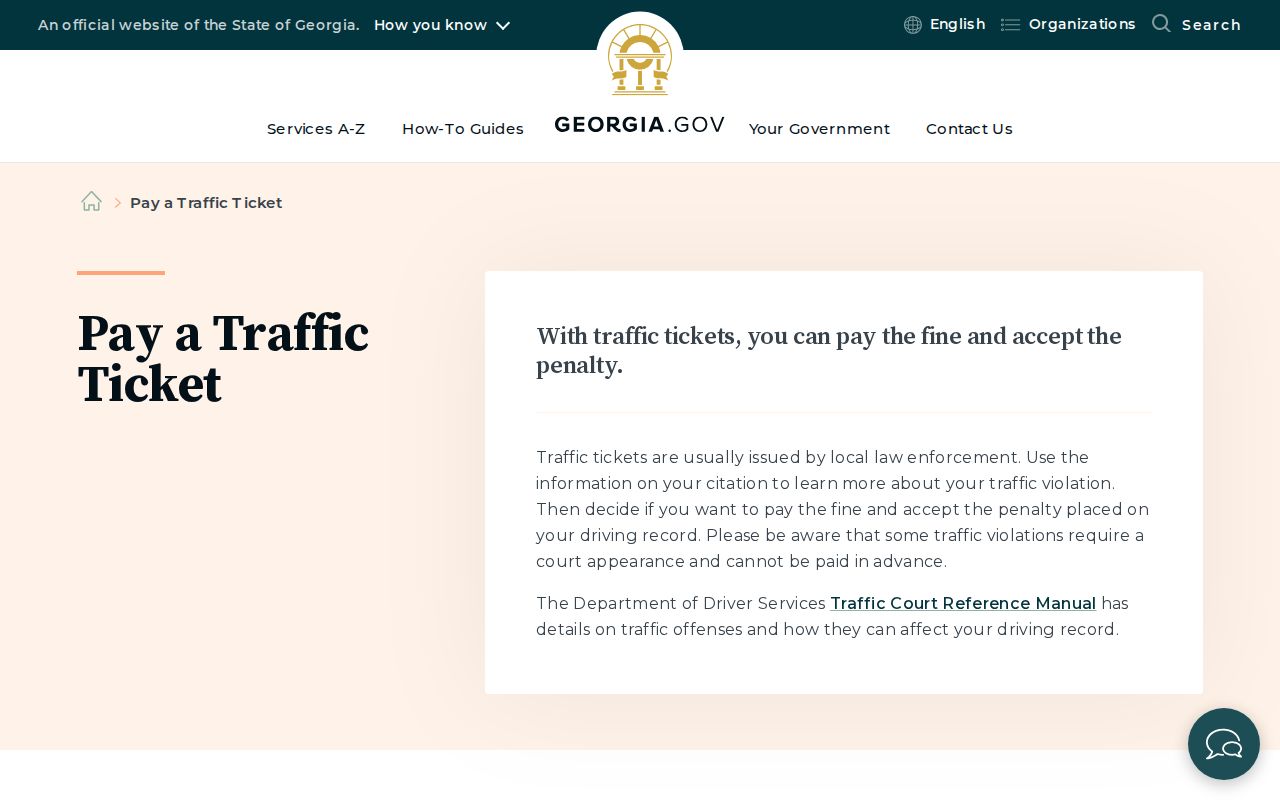
The state guidance gives the general fork. Quitman County's Probate traffic office gives the instruction that fits the actual citation.
| Paying the Ticket | Contesting the Ticket |
|---|---|
| Generally accepts the penalty and guilty plea | Generally begins with a not-guilty plea |
| Use only a court-approved payment route | Follow the scheduled appearance or court direction |
| Does not replace a mandatory appearance | Can lead to a later hearing or trial setting |
| Keep the receipt and verify disposition | Keep all notices and confirm the next date |
Missed court date: Call the court at once. Failure to appear can lead to court action and a report to Georgia DDS after notice.
Quitman County Defensive Driving
Georgia's traffic reference manual lays out what defensive driving can do in a qualifying case. A court may accept an approved certificate, cut the base fine, or enter a zero-point order within state limits. Those are statewide possibilities, though. They are not automatic Quitman County options.
The local court page posts no eligibility rules, no application steps, no deadlines, and no exclusion list. It also lists no local reduction policy. Before you pay for any course, call the Probate traffic office. Only the court can tell you whether your specific ticket qualifies and what must be filed.
One caution about proof. A certificate alone is not the case outcome. Read the court docket for the entered result, and keep the court's order or certified disposition when you need proof later.
Traffic Court Record vs Driving Record
Quitman County keeps two separate traffic files, and two different offices hold them. The Probate traffic court holds the court case record. The Georgia Department of Driver Services holds the driver history, which grows from convictions and suspensions reported through the state electronic system. DDS never takes ticket payments. Pay the court.
| Court Traffic Record | Driver Record | |
|---|---|---|
| Custodian | Quitman County Probate traffic court | Georgia Department of Driver Services |
| Shows | Citation, plea, date, disposition, payment, order | Reported convictions, points, and suspensions |
| Access | EZCourtPay locator or court request | DDS record channel |
| Correction | Resolve the court case with the court | Address the driver record with DDS after court reporting |
A clean or empty EZCourtPay search proves nothing about what DDS holds. The flip side is true as well. A DDS history is not the court's full case file.
Quitman County Failure to Appear
Georgia DDS explains that a failure to appear can trigger a suspension process. The process starts after notice and an effective period. The court can send an electronic release once the case is resolved, but timing and required steps must be confirmed with both the court and DDS. Never send a ticket payment to DDS.
Call the Probate traffic office first. Ask what the court case needs, whether a new hearing date or a payment is allowed, and whether a release has gone out. Then check DDS for the state record or license status. Neither office can answer for the other.
Closures matter too. Emergency closures can shift dates, so follow official court instructions. Do not assume a closed courthouse cancels the case itself.
Copies and Fees
Quitman County's local page posts no traffic fine schedule. It lists no price for copying or certifying a court record either. EZCourtPay's result amount, when one shows, covers only the citation payment displayed there. It says nothing about a clerk's fee for a plain or certified traffic disposition.
| Item | Published Fee | Correct Source |
|---|---|---|
| Citation fine | Varies; not published in research | EZCourtPay result or court |
| Plain traffic record copy | Not published | Probate/Magistrate office |
| Certified disposition | Not published | Probate/Magistrate office |
| Failure-to-appear charge | Not published locally | Court and DDS instructions |
Call 229-334-2224 for the current amount, accepted payment form, copy format, and delivery method. The clerk can tell you all of it in one call. If you need a certified court result, it must come straight from the Quitman County court, not from the payment gateway screen.
Quitman County Municipal Court History
The unified-government charter fixes a routing puzzle that a generic Georgia traffic search would miss. Georgetown once ran its own municipal court. The charter abolished that court and moved its jurisdiction and pending work to Probate or Magistrate Court. Official sources show no city docket portal, so don't wait for one to appear.
That history also explains the practical tool here. The county-branded EZCourtPay route handles local traffic payments. Georgetown remains the place name and county seat, while the Probate/Magistrate office serves as the current court contact. Use the county traffic record for the citation itself, and use the state DDS record only for the separate driver-history function.
Quitman County Certified Dispositions
A payment receipt proves a transaction happened. It is not always a certified court disposition. When you need an official copy of the traffic result, ask the Probate/Magistrate office for the exact record, the current certification fee, the accepted payment method, and your delivery choice. The office publishes no certification form or posted amount.
Give the citation or case identifier and keep the request narrow. Confirm whether the office mails the item or requires counter pickup.